
The Fixer portal
Everything your clinic does with us happens in the portal: from registering to submitting cases, reviewing and approving plans, paying and following delivery. Here it is, step by step.
Getting started
-
1
Create your login
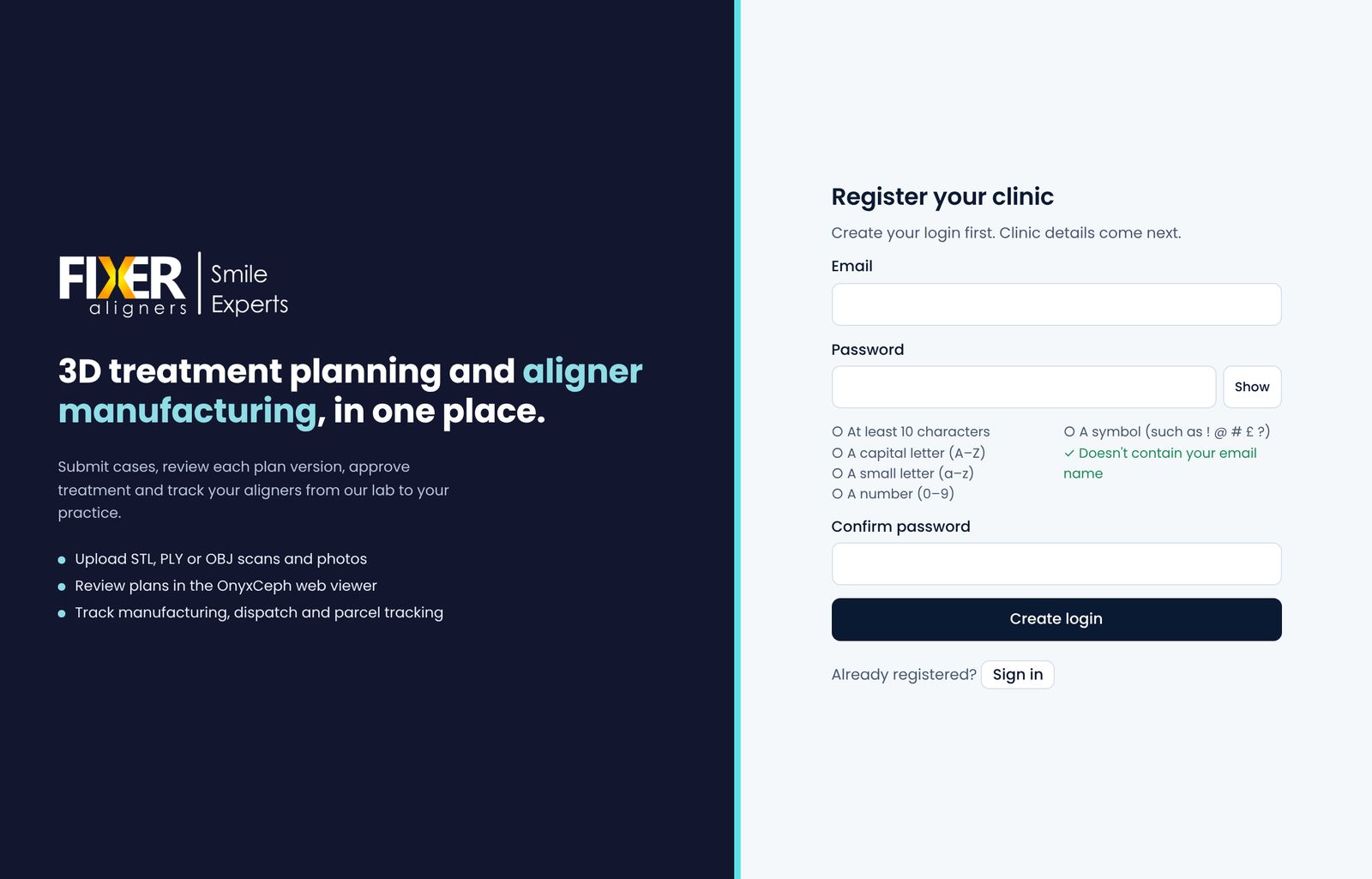
Open Register your clinic and choose an email and password.
-
2
Confirm your email
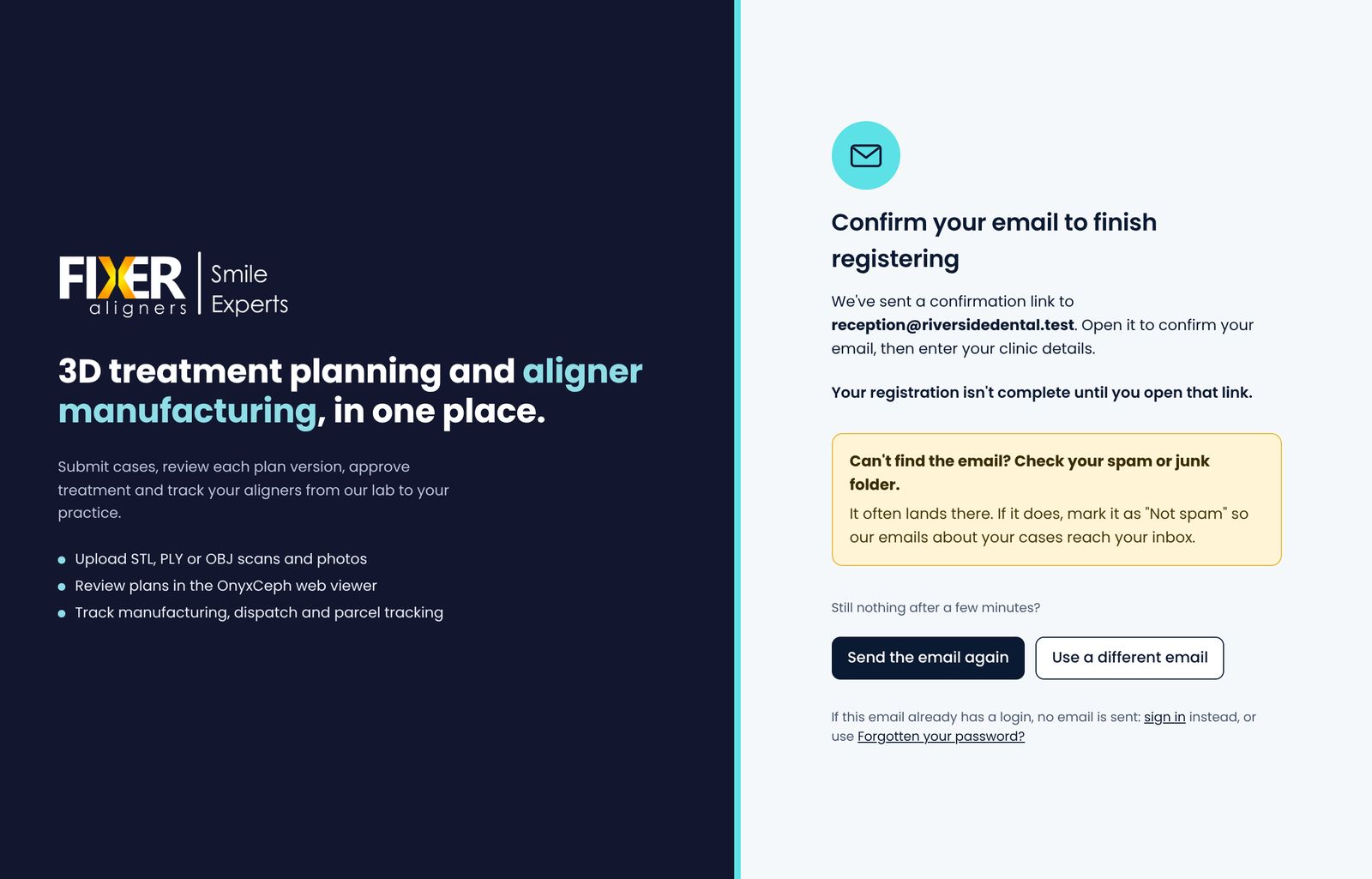
We email you a link to confirm your address. Open it to carry on: your registration isn't complete until you do. The email often lands in spam or junk, so check there if it isn't in your inbox, and mark it as "Not spam". You can ask for it again from the same screen.
-
3
Tell us about your clinic
Enter your name, the clinic's name and address, and accept the data processing agreement for the patient records you share with us. Then send it for approval.
-
4
We approve your account
We check every new clinic before it can submit cases, and email you as soon as your account is approved. Your price list is in the portal from then on.
-
5
Add your colleagues
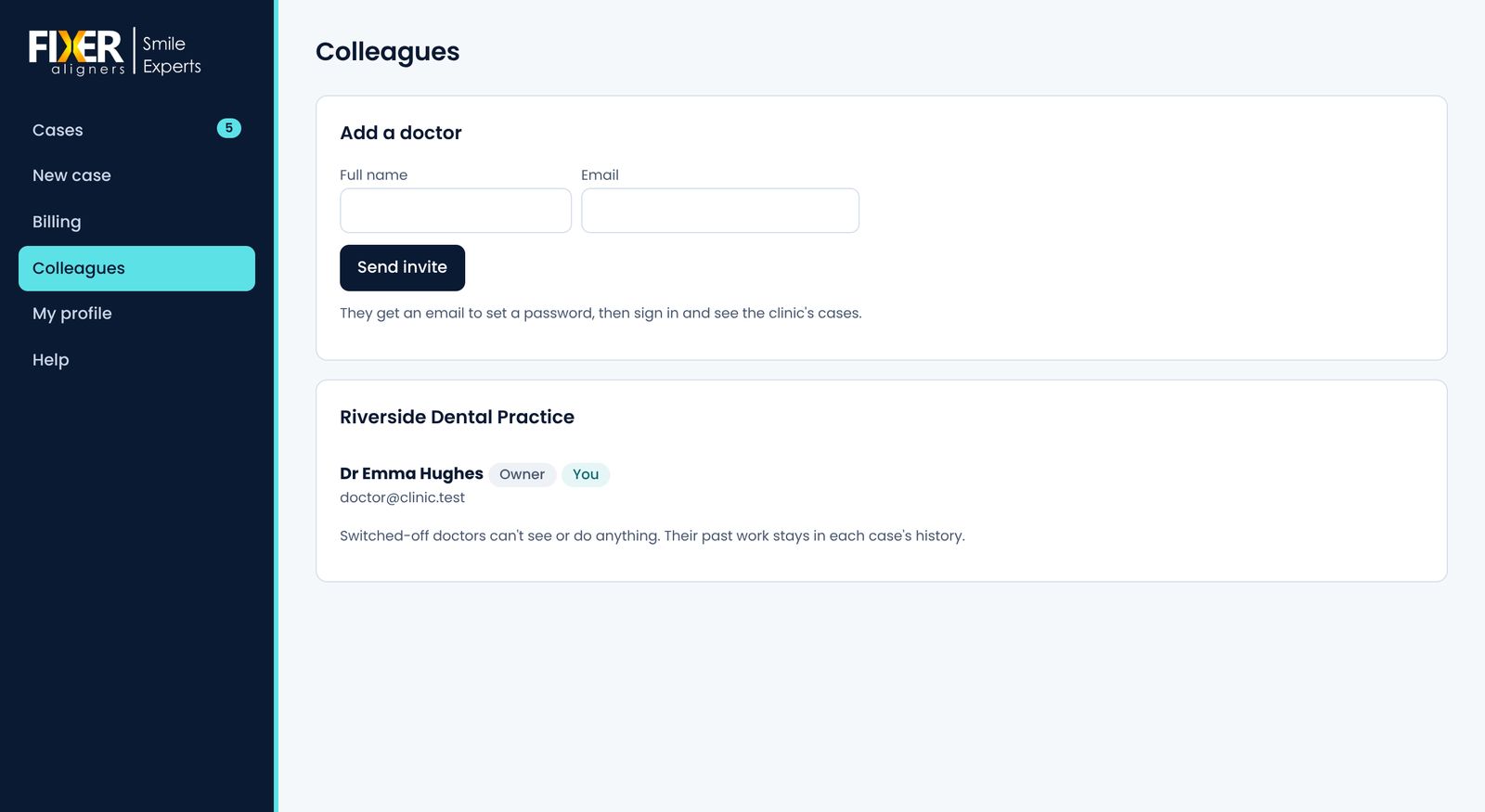
Invite the other dentists at your clinic. They set their own password and see the clinic's cases. You can switch a login off at any time.
Every case
-
6
Start a new case
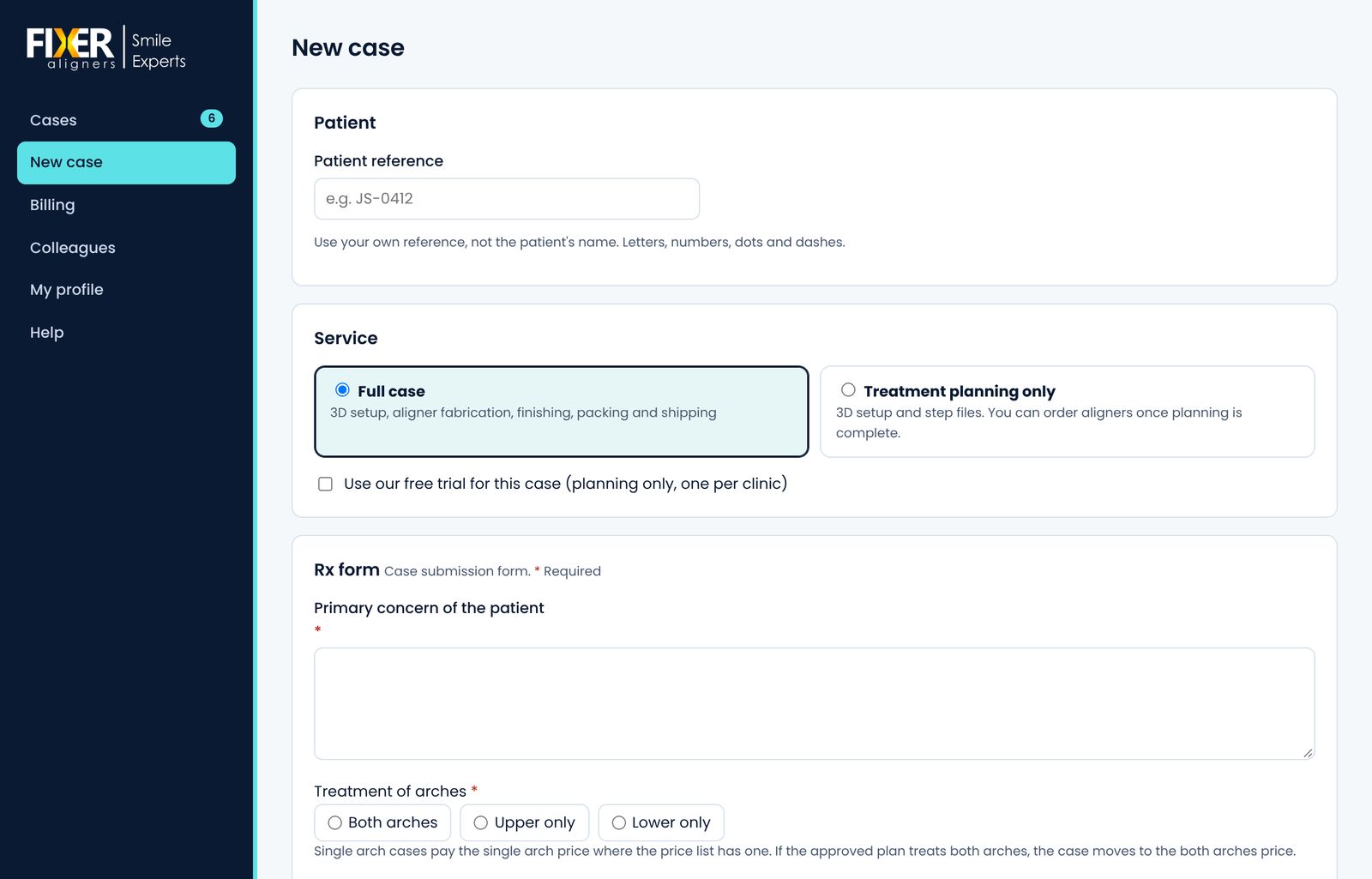
Enter the patient's reference (not their name), choose the full case or treatment planning only, and fill in the prescription form.
-
7
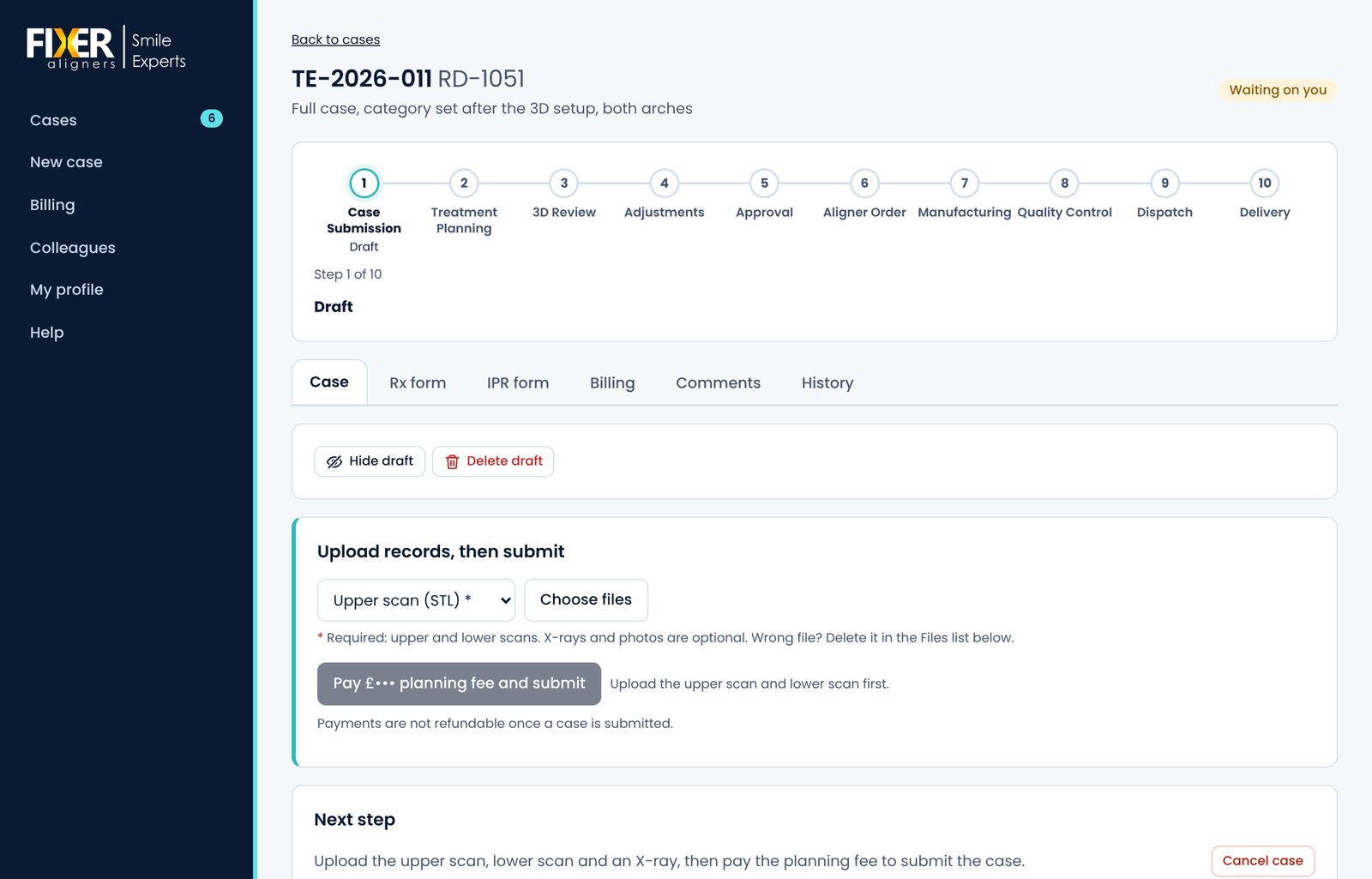
Upload the records and submit
Upload the upper and lower scans (STL, PLY or OBJ), and X-rays and photos if you have them. Pay the planning fee and the case comes to us.
-
8
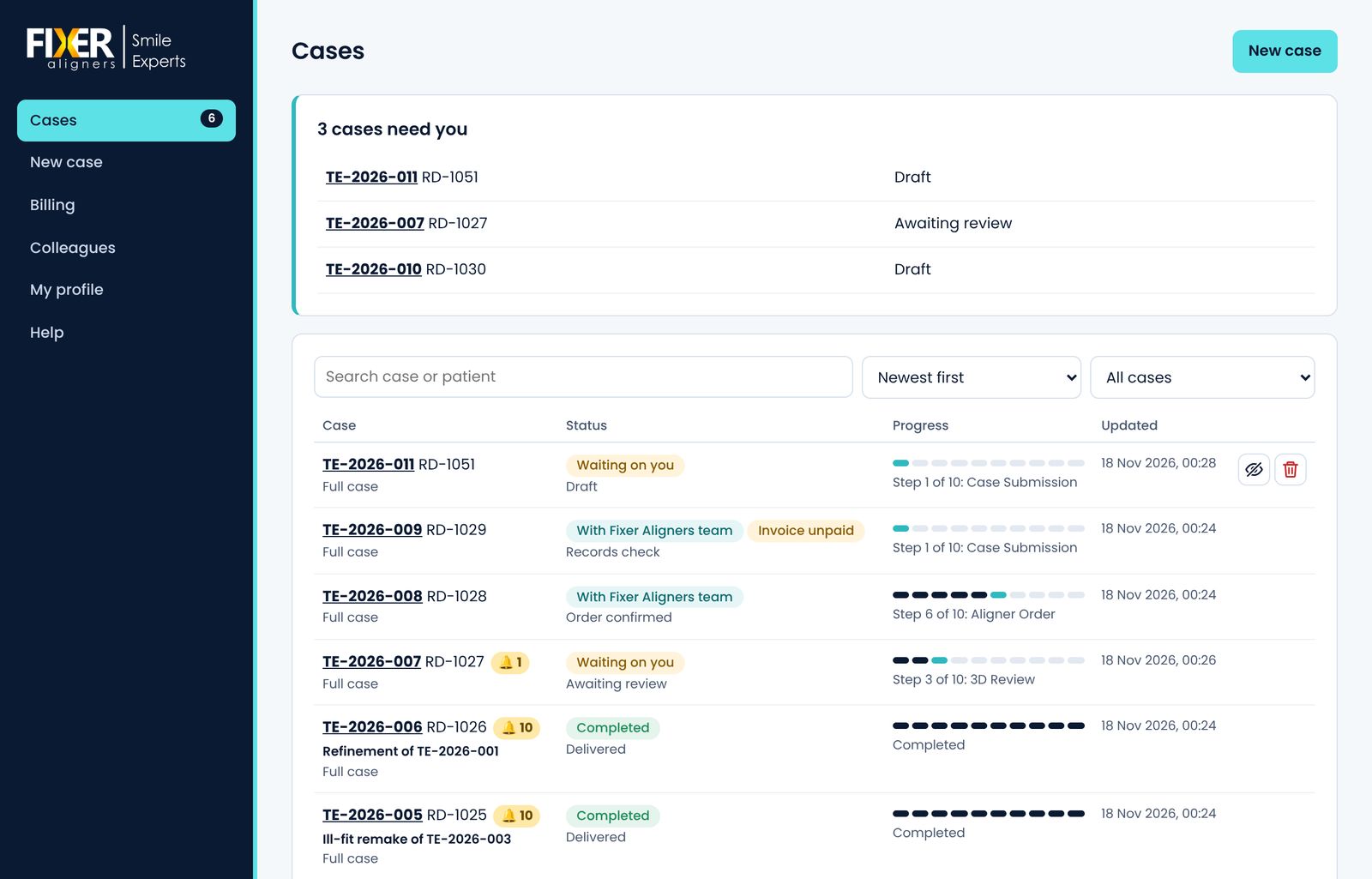
Follow it in your case list
Every case shows its stage and who it's waiting for. The cases that need you are at the top, and we email you when you need to act.
-
9
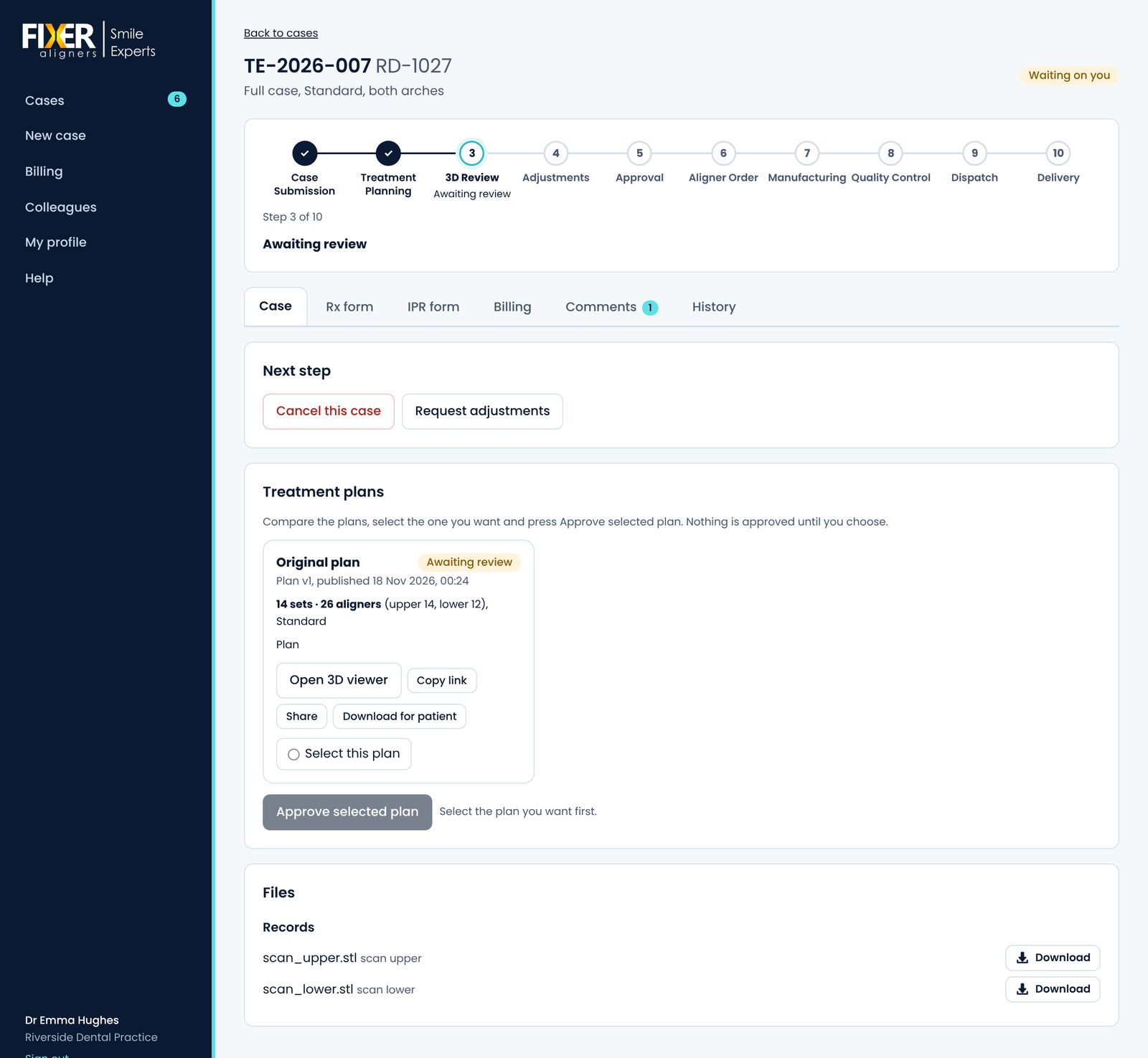
Review the plan
Open the plan in the 3D viewer and read its treatment plan report. Share the 3D link with your patient, ask for adjustments, then approve the version you want.
-
10
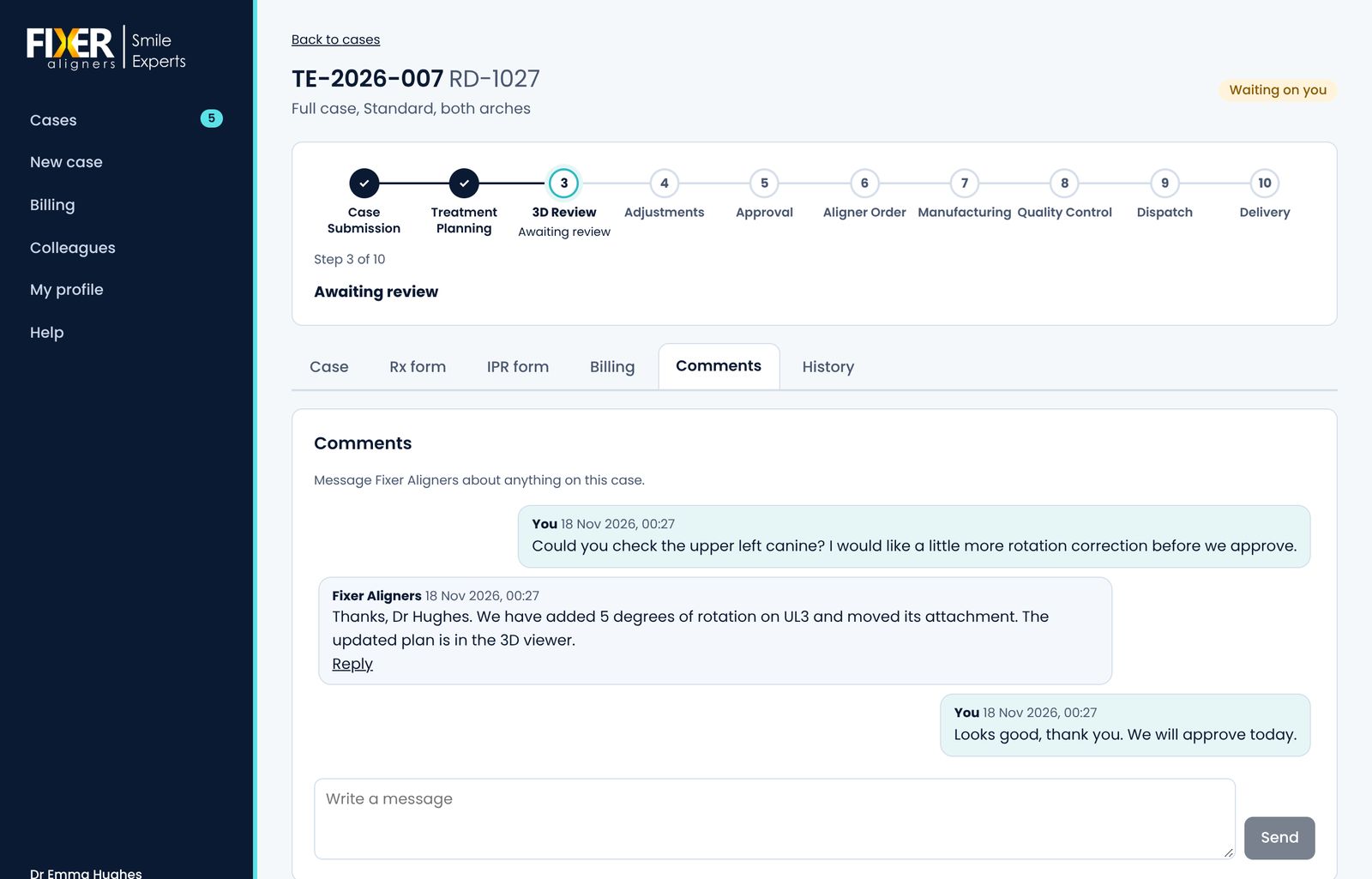
Ask us anything on the case
Messages stay with the case they're about, so the whole team can see the conversation.
-
11
Pay the invoice
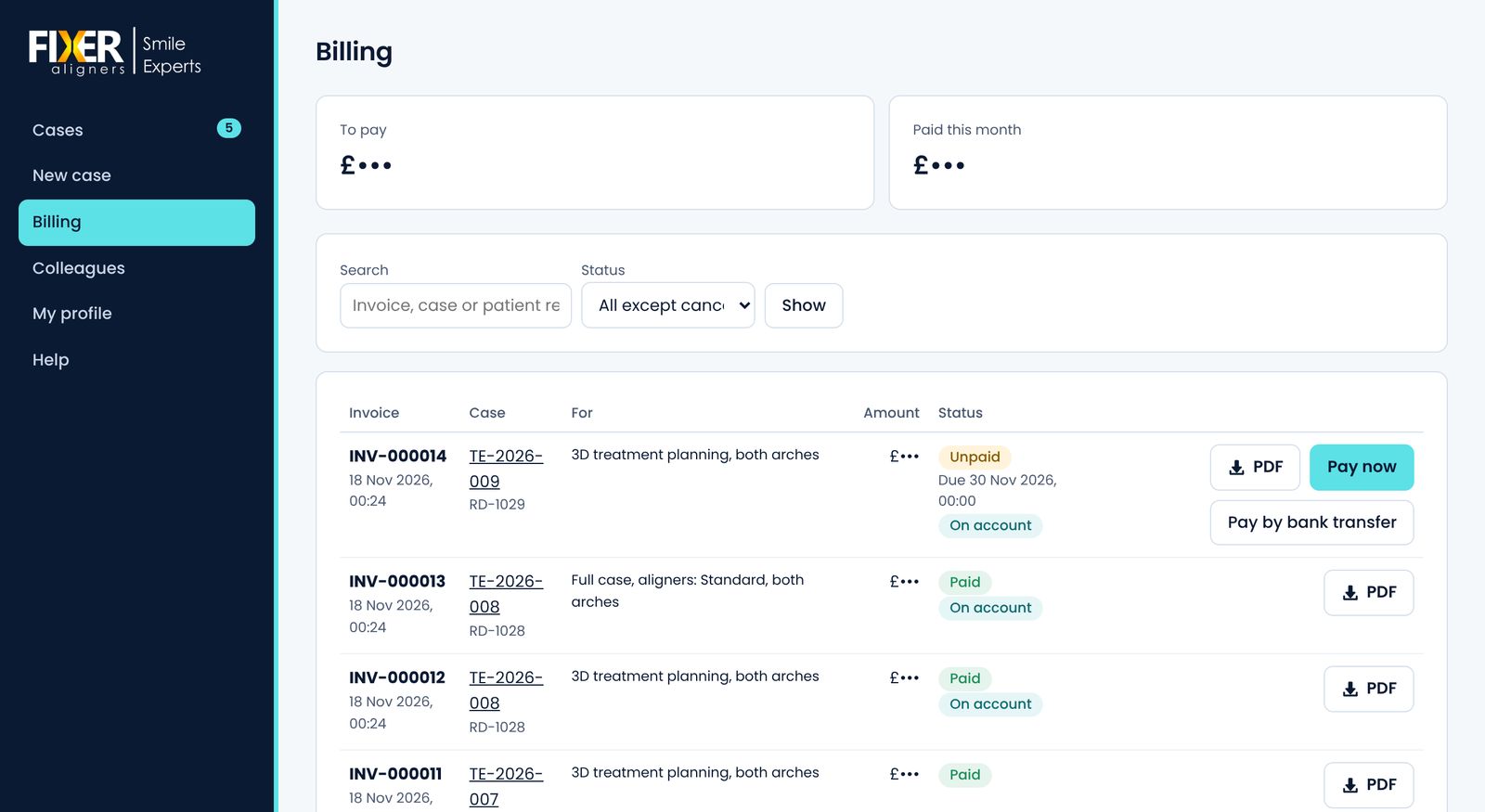
Invoices for each case are in Billing, with a PDF of each. Pay by card in the portal, or by bank transfer.
-
12
Manufacturing and delivery
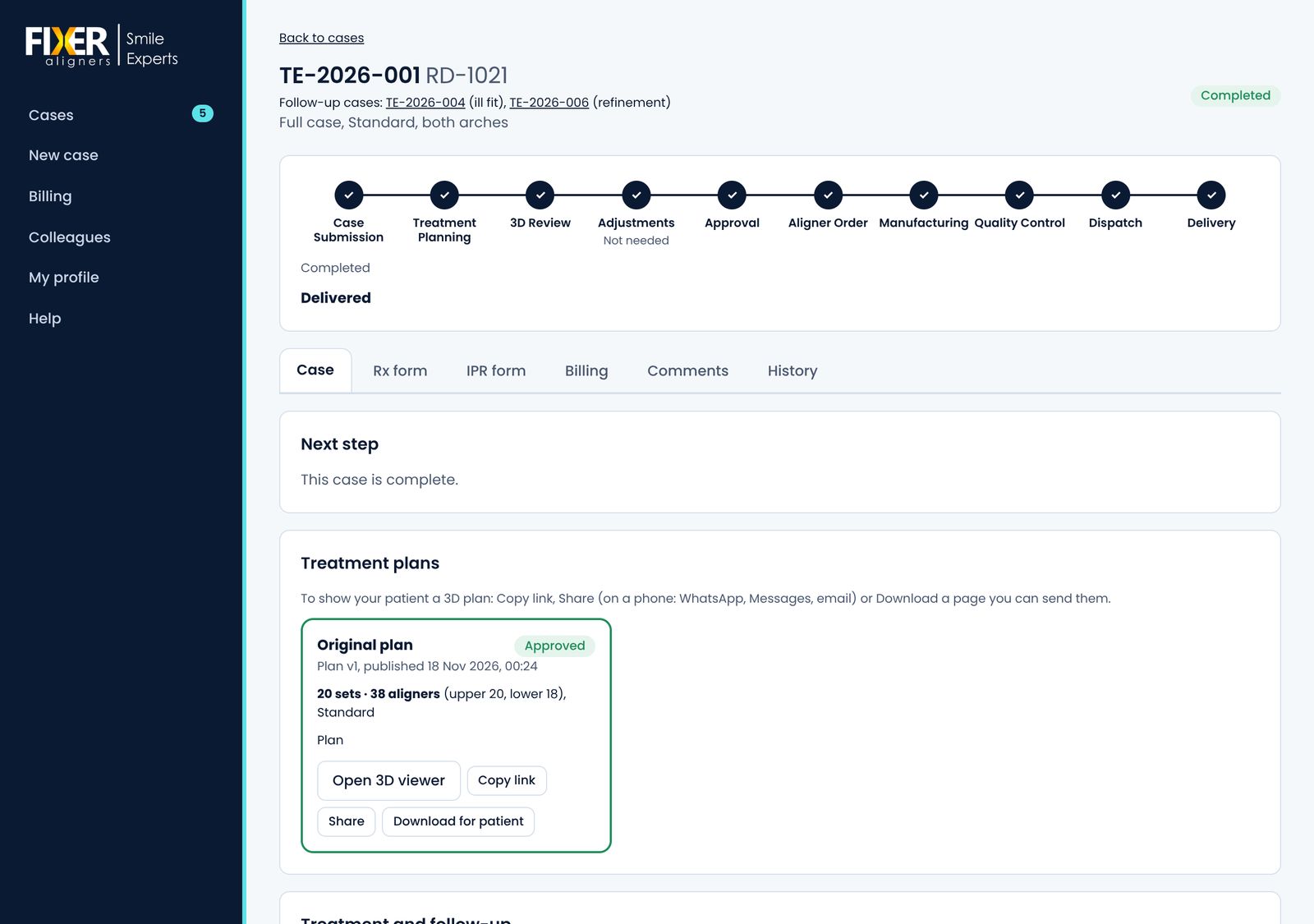
Follow the aligners through manufacturing, quality control and dispatch. You get the tracking link by email and in the case. Refinements and ill-fit remakes are requested from the same case.
Pictures show the portal with sample data. Prices are hidden.
Your own aligner brand, on our portal
Supplying aligners to other clinics? A broker account lets you run them through the Fixer portal under your own name. Your clinics see your brand; we plan and make the aligners behind it.
- Your own clinics
- Invite clinics with your own link. They register, submit cases and follow them in the portal, and you see all their cases in one place.
- You decide what comes to us
- Review each case first, then send it to us for treatment planning, manufacturing or both.
- One account for billing
- Your clinics' cases are invoiced to your account, at your Fixer prices.
- Fully branded
- Your name, logo and colours throughout the portal and its emails. It can run on your own web address, with emails sent from your own domain. Your clinics never see the Fixer name.
Already sending us cases as a clinic? Your account can become a broker account and keep submitting your own cases too.
Ready to send your first case?
Register your clinic. We check every new account and email you when it's approved.