
How it works
Every case runs through the Fixer portal, from the first scan to the tracking link. Here's what happens, in order.
Submit the case
Register your clinic, then open a new case: patient details, the prescription form, upper and lower scans and photos.
We plan it
Our planners set up the treatment in 3D and prepare the treatment plan report.
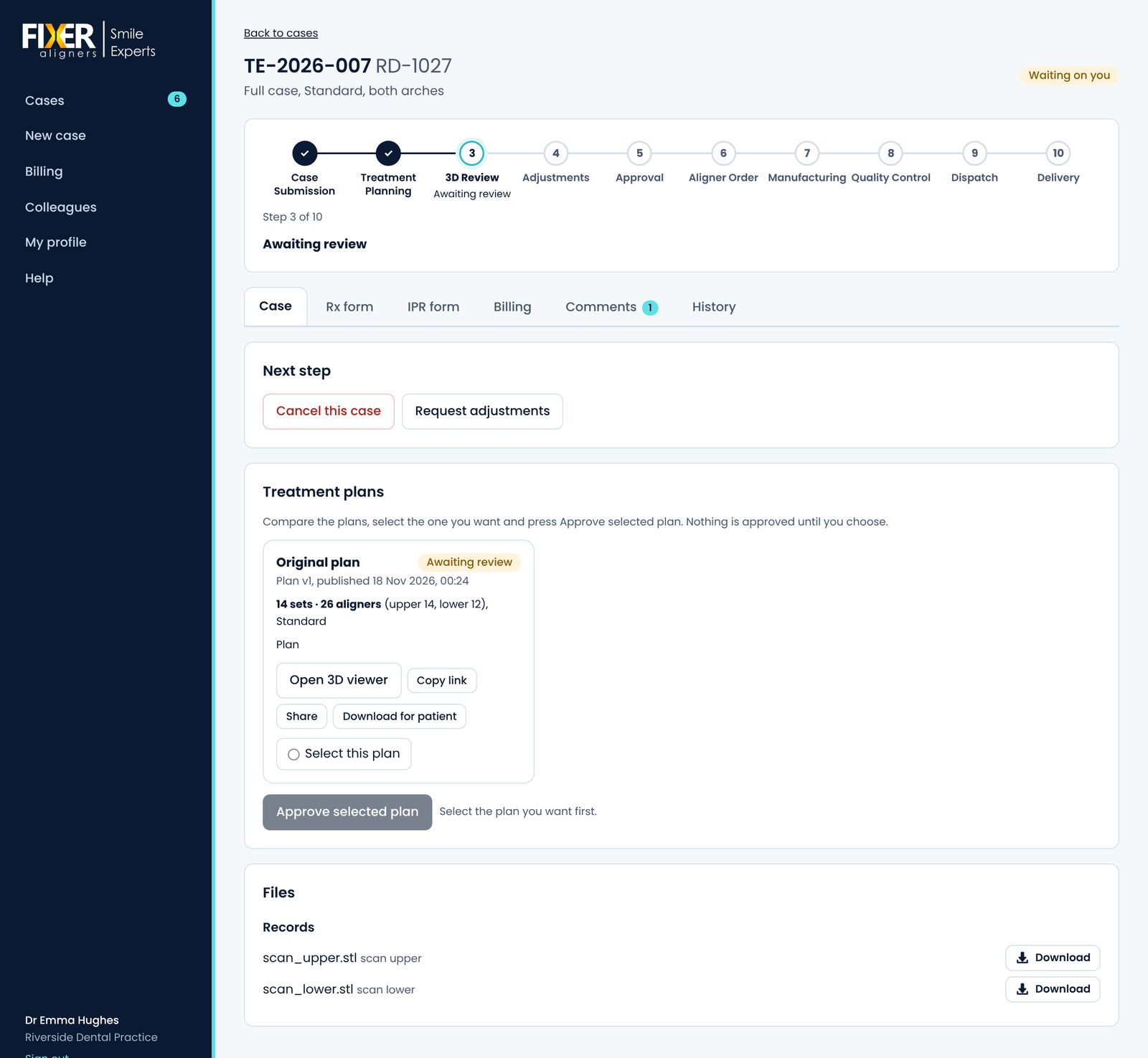
Review online
Open the plan in the web viewer. Ask for changes and we publish a new version; every version stays in the case.
Approve
Approve the version you want. The invoice is in the portal and can be paid by card.
Manufacturing
We make, finish and pack the aligners. The case shows where it is at every stage.
Delivered
The aligners are sent to your clinic. You get the tracking link by email and in the case.
The Fixer portal
Your clinic's cases, plans, messages and invoices in one place. It works in any browser, on a computer or a phone.
- Every case in one list
- See what's waiting for you, what's in planning and what's on its way.
- Messages on the case
- Questions and answers stay with the case they're about.
- Plan versions side by side
- Each version keeps its 3D link and its own treatment plan report.
- Invoices and card payments
- Invoices for each case, paid securely by card.
- Logins for your team
- Add colleagues to your clinic so they can submit and follow cases.
- Email updates
- We email you when a plan is ready, when you need to act and when aligners are sent.
Ready to send your first case?
Register your clinic. We check every new account and email you when it's approved.